The quick answer
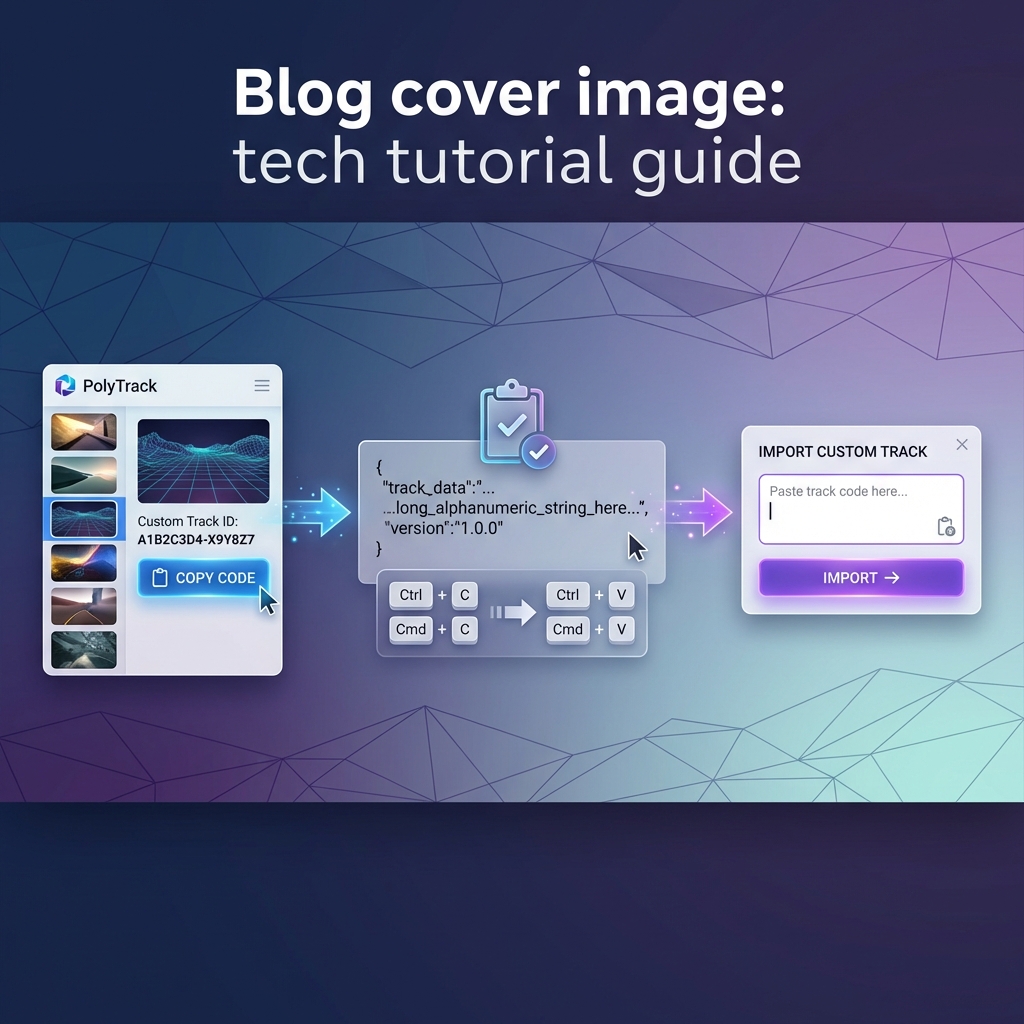
PolyTrack track codes are the simplest way to move a custom track from one player to another. A creator exports the code from the editor, shares the full text, and another player imports it into the game. If the code is complete, it should create the same layout on your side.
The important part is that a track code is not just a short ID. It can be long, and it is easy to break if a website, chat app, or note tool trims the text. When an import fails, the most common cause is a missing first or last section of the code.
Where to import a code
Use the import option from the custom track or editor flow. Paste the whole code at once, then wait for the game to load the track. The official 0.6.0 update added support for importing multiple concatenated track codes, but single-track imports are still easier to debug.
If a code came from this site, open the track page first. A good track page should tell you difficulty, category, why the track is interesting, and who should play it. Do not paste a random code just because it is long or looks complicated.
How to share a code cleanly
Use this checklist before posting a code:
| Check | Why it matters |
|---|---|
| Copy the full export text | Most broken imports are incomplete copies |
| Add the track name | Players need a way to recognize it later |
| Add difficulty | Easy, Medium, Hard, Expert, or Impossible changes expectations |
| Describe the first skill check | A good warning saves bad first impressions |
| Include the game version if known | Major updates can change records or behavior |
For Reddit, Discord, forum posts, or school notes, put the code after the description, not before it. Players decide whether to try the track from the description; the code is only useful after they already care.