How to Import Custom Tracks in PolyTrack: The Ultimate 2025 Guide
PolyTrack's greatest strength lies in its vibrant community of track creators. With thousands of custom tracks available, knowing how to import them is essential for expanding your PolyTrack experience. This comprehensive guide will walk you through everything you need to know about importing custom tracks in 2025.
Whether you're a complete beginner or looking to troubleshoot import issues, this guide has you covered.
What Are Custom Tracks in PolyTrack?
Custom tracks are user-created racing courses designed using PolyTrack's built-in track editor. Unlike the default tracks that come with the game, custom tracks offer:
* Infinite Variety: From simple beginner-friendly circuits to impossible stunt challenges
* Community Creativity: Unique designs you won't find anywhere else
* Regular Updates: New tracks are published daily by the community
* Specialized Challenges: Tracks designed for specific skills like drifting, speed, or technical precision
The best part? Importing these tracks is completely free and takes less than a minute once you know how.
Prerequisites: What You Need Before Importing
Before you start importing custom tracks, make sure you have:
#### 1. A Compatible Browser
PolyTrack works best on:
* Google Chrome (Recommended) - Version 90+
* Microsoft Edge - Version 90+
* Firefox - Version 88+
* Safari - Version 14+ (MacOS/iOS)
Note: Some older browsers may not support the game's WebGL requirements.
#### 2. Stable Internet Connection
While PolyTrack itself doesn't require much bandwidth, you'll need a stable connection to:
* Load track codes from repositories like PolyTrackCodes.com
* Save your imported tracks to browser storage
* Download any updates to the game
#### 3. Sufficient Browser Storage
Custom tracks are stored in your browser's local storage. Make sure you have:
* At least 50MB of free browser storage
* Cookies and local storage enabled in your browser settings
#### 4. A Track Code
This is the alphanumeric string that contains all the track data. You can find track codes on:
* PolyTrackCodes.com (Our site - the largest collection!)
* Official PolyTrack Discord servers
* Reddit r/polytrack community
* YouTube video descriptions
Step-by-Step: How to Import a Custom Track
#### Method 1: Using the In-Game Import Feature (Recommended)
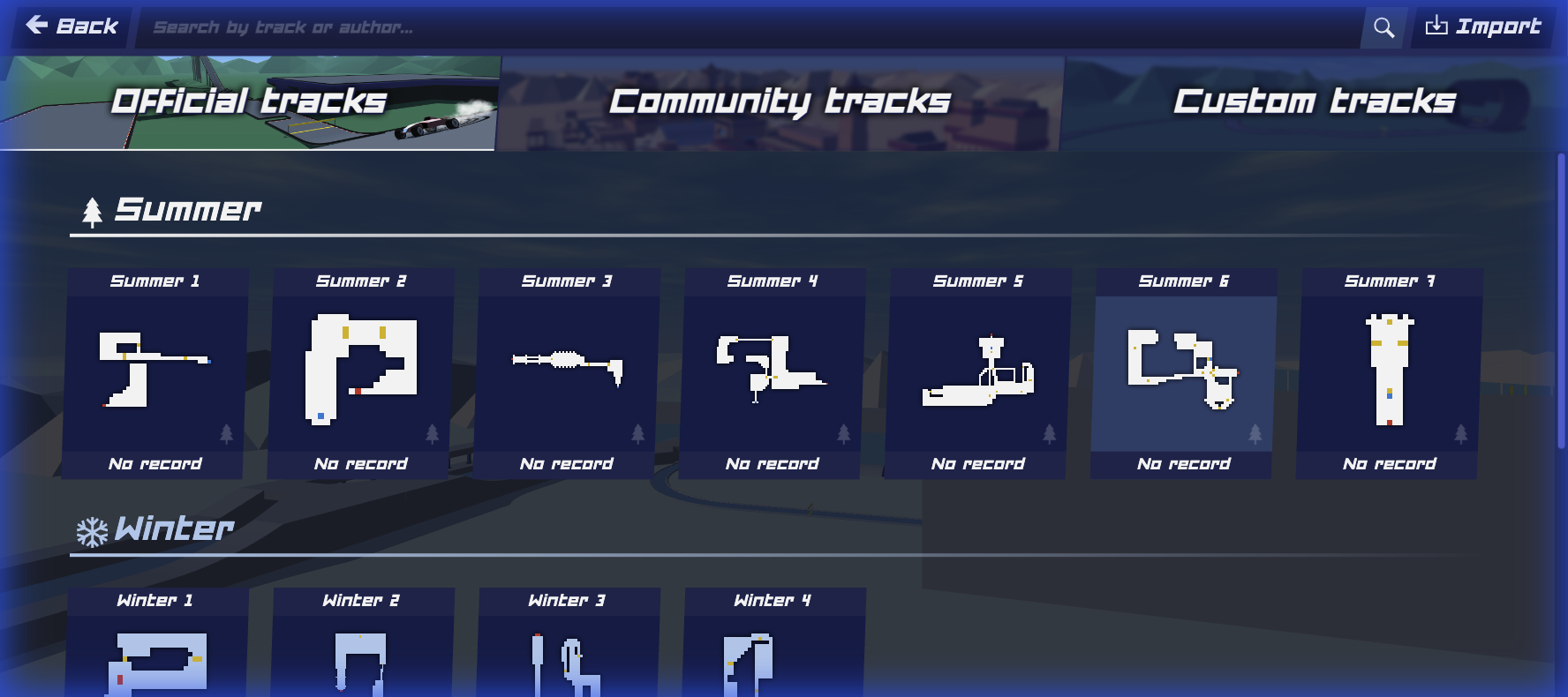
This is the most straightforward method and works for 99% of cases.
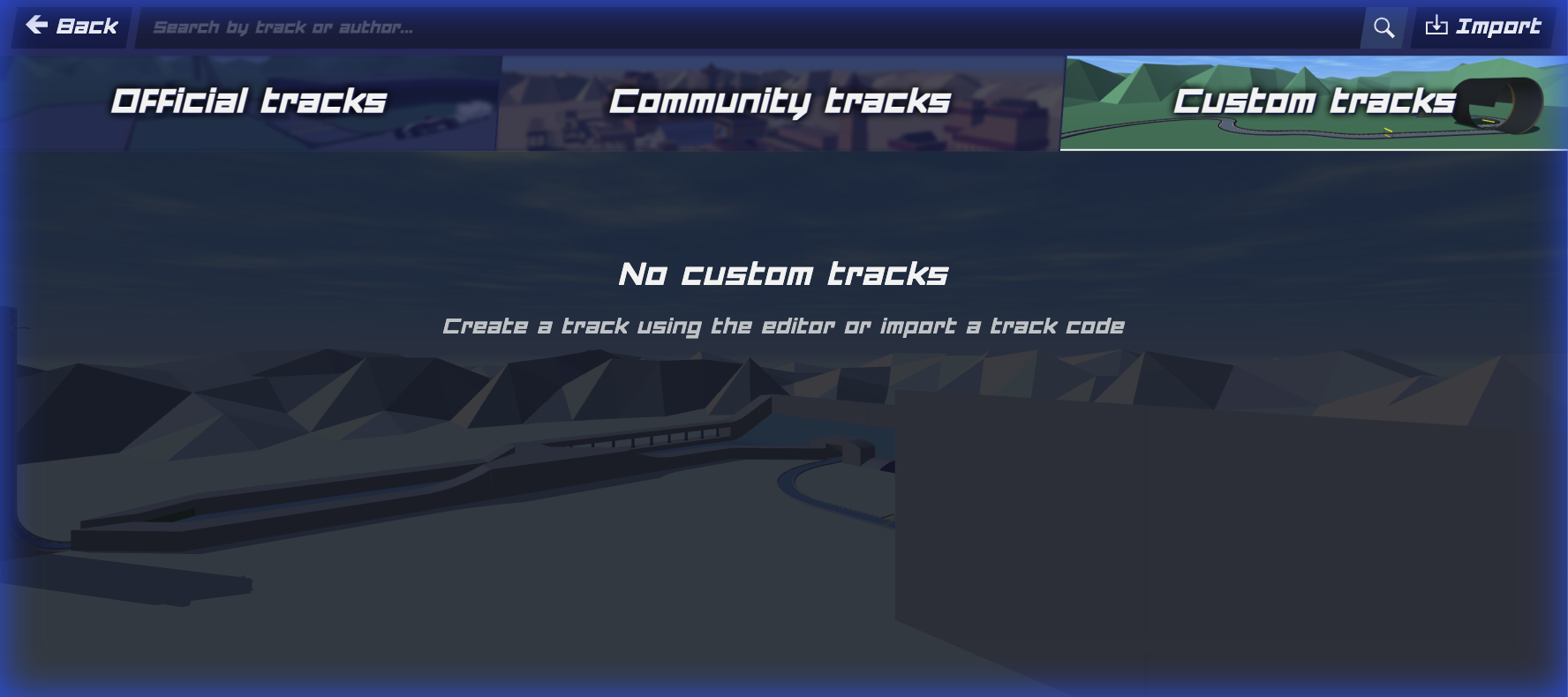
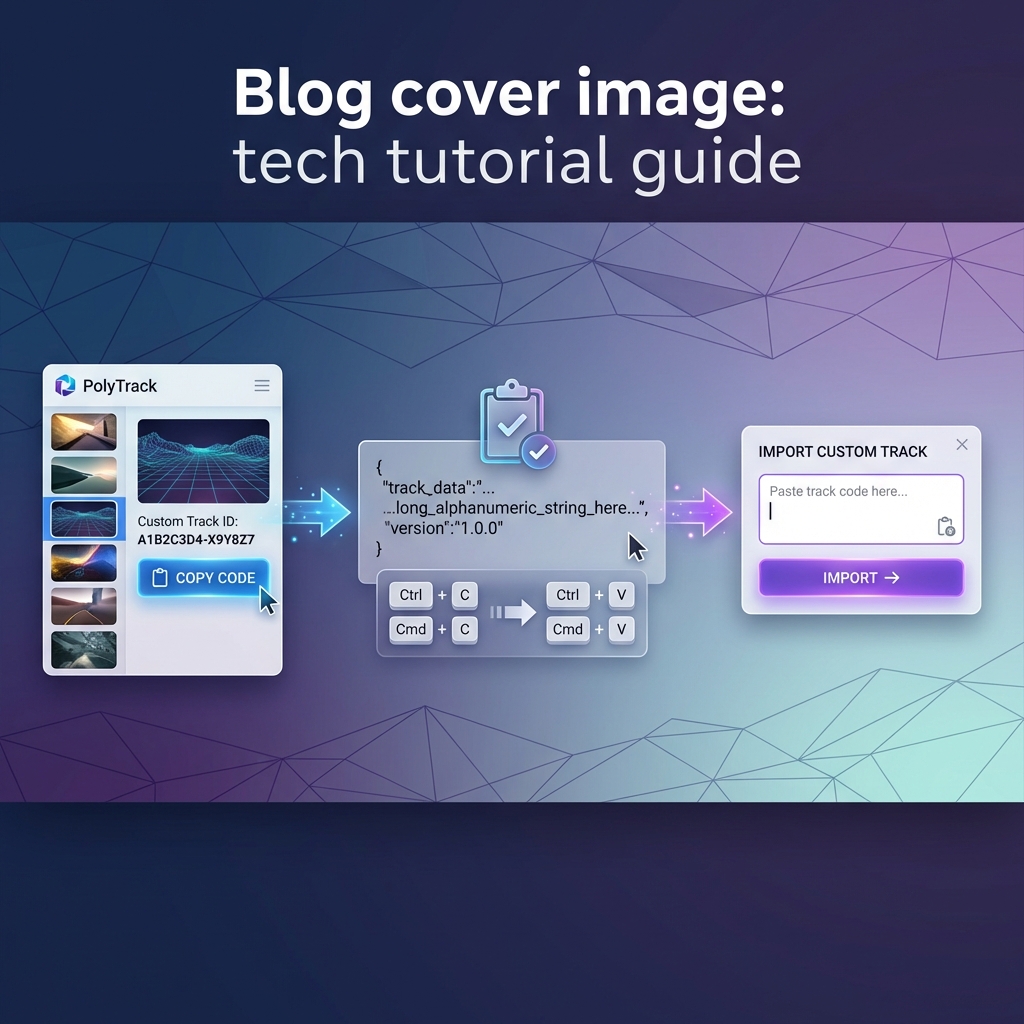
Step 1: Find a Track Code
Navigate to PolyTrackCodes.com/tracks and browse our collection. When you find a track you like:
Pro Tip: The code is usually a long string of characters like `PolyTrack_v2_AAB1234...` - it can be hundreds of characters long!
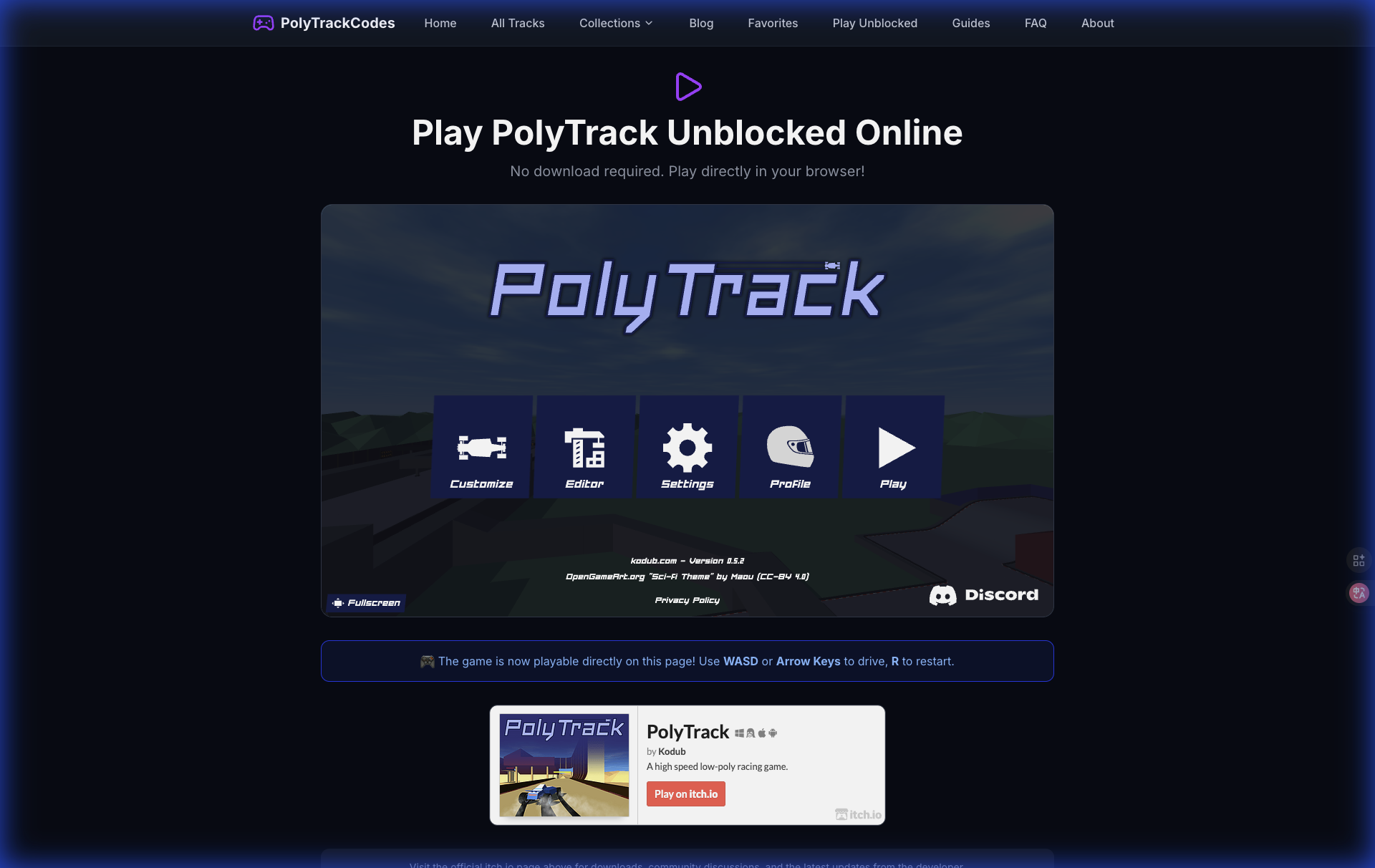
Step 2: Open PolyTrack
Navigate to the official PolyTrack game URL or your preferred mirror site.
Step 3: Access the Track Manager
Once the game loads:
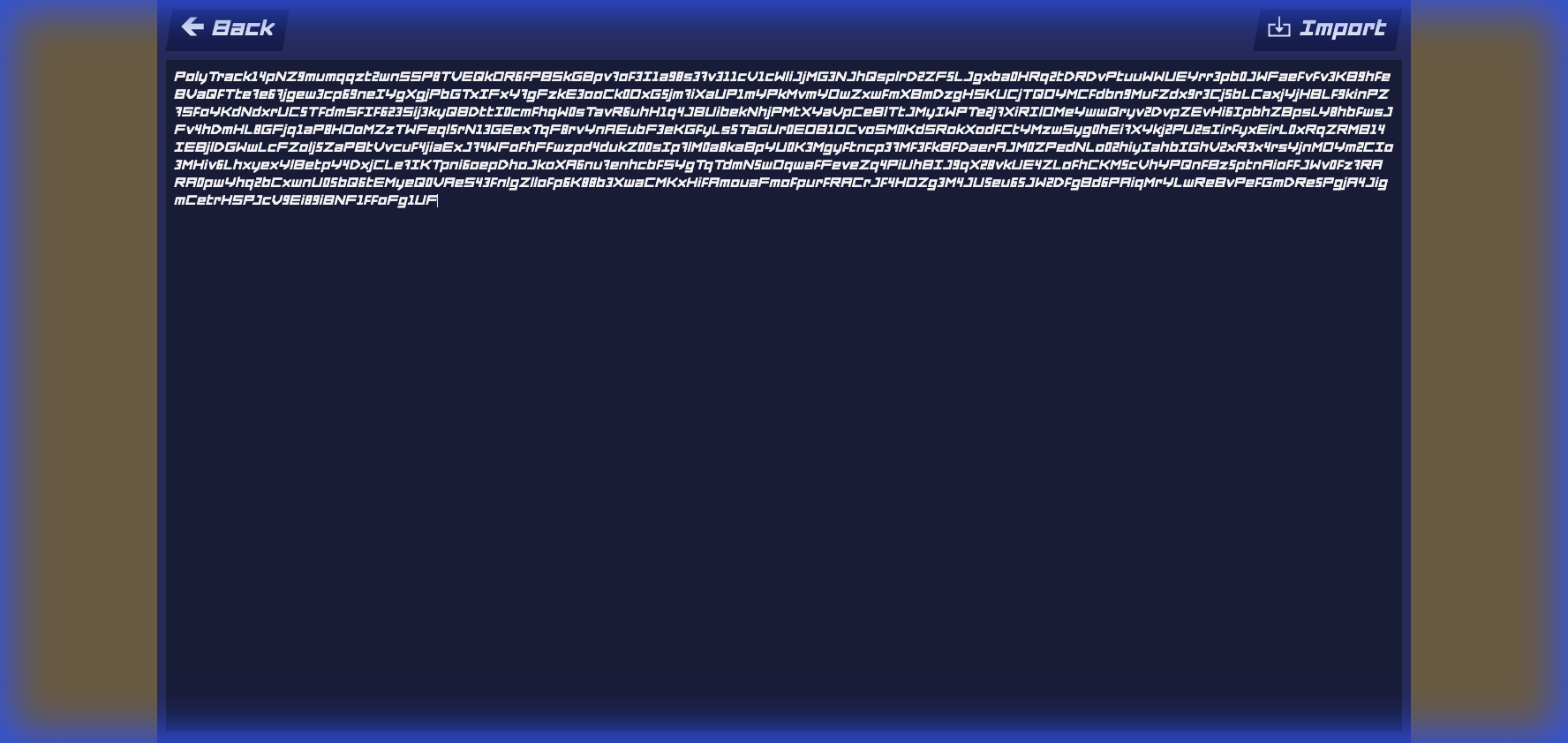
Step 4: Paste the Track Code

Step 5: Confirm Import
Step 6: Test Your Track
Method 2: Manual JSON Import (Advanced)
For power users or when dealing with corrupted codes:
Step 1: Obtain Raw JSON Data
Some track repositories provide tracks in raw JSON format. This looks like:
```json
{
"name": "Example Track",
"pieces": [...],
"version": 2
}
```
Step 2: Open Browser Developer Console
Step 3: Access Local Storage
Type the following command:
```javascript
localStorage.getItem('polytrack_tracks')
```
This shows your current tracks saved in browser storage.
Step 4: Add New Track
Use the game's API (if available) or manually edit the localStorage object. Note: This method is not recommended for beginners as it can corrupt your saves.
Understanding Track Code Formats
PolyTrack has evolved over time, and track codes come in different formats:
#### Format Version 1 (Legacy)
* Prefix: `PT_v1_`
* Used in early versions of the game
* Limited track piece variety
* May not be compatible with newer game versions
#### Format Version 2 (Current Standard)
* Prefix: `PolyTrack_v2_`
* Supports all current track pieces
* Includes metadata (author, difficulty, description)
* This is what you'll encounter most often
#### Format Version 3 (Beta)
* Prefix: `PT3_`
* Experimental format
* May include scripting or moving parts
* Not all game versions support this yet
Compatibility Tip: If a track fails to import, check the version prefix. Older tracks may need updates from the original creator.
Troubleshooting Common Import Issues
#### Issue 1: "Invalid Track Code" Error
Possible Causes:
* Incomplete code (didn't copy the entire string)
* Corrupted code during copy/paste
* Unsupported track format version
Solutions:
#### Issue 2: Track Loads But Appears Broken
Symptoms:
* Missing track pieces
* Floating segments
* Invisible walls
Solutions:
* Clear your browser cache: Settings → Privacy → Clear browsing data
* Update your browser to the latest version
* Disable browser extensions that might interfere (ad blockers, script blockers)
* Report the issue to the track creator - it may be a design bug
#### Issue 3: "Storage Quota Exceeded" Error
Cause: Your browser's local storage is full.
Solutions:
- Chrome: `chrome://settings/content/cookies`
- Set exceptions for the PolyTrack domain
#### Issue 4: Track Imports But Doesn't Appear in List
Solutions:
* Refresh the page (F5)
* Check if you're in the correct category filter
* Restart the game completely
* Check browser console for JavaScript errors (F12 → Console tab)
Best Practices for Managing Imported Tracks
#### 1. Organize Your Collection
As you import more tracks, organization becomes crucial:
* Create a spreadsheet or note file with track names and difficulty ratings
* Use the in-game favorites/bookmarks feature (if available)
* Keep track codes in a text file as backup
#### 2. Back Up Your Tracks
Browser storage can be cleared accidentally. To back up:
#### 3. Test Before Sharing
If you're importing tracks to share with friends:
* Play through the entire track first
* Check for bugs or impossible sections
* Verify the difficulty rating is accurate
#### 4. Keep Track Descriptions
When you import a track, note:
* Creator name
* Original source (URL or Discord message)
* Date imported
* Your personal best time
This helps you remember why you imported it and where to find similar tracks.
Where to Find the Best Custom Tracks
#### 1. PolyTrackCodes.com (You Are Here!)
Our site features:
* 30,000+ tracks in our database
* Advanced filtering (difficulty, category, downloads)
* Detailed descriptions and strategy guides
* One-click code copying
* Community ratings and comments (coming soon!)
Top Collections:
* Most Downloaded Tracks
* Beginner-Friendly Tracks
* Impossible Challenges
#### 2. Official PolyTrack Discord
* Real-time track sharing
* Direct feedback from creators
* Weekly track competitions
* Beta tracks and experimental designs
#### 3. Reddit r/polytrack
* Community discussions
* Track showcases
* Tutorial videos
* Monthly "Track of the Month" contests
#### 4. YouTube Channels
Many PolyTrack content creators share track codes in their video descriptions. Popular channels include:
* Speed runners showcasing record attempts
* Track designers explaining their creative process
* Tutorial creators teaching advanced techniques
Advanced: Creating a Track Import Workflow
For players who import dozens of tracks regularly, here's an efficient workflow:
Phase 1: Discovery (5 minutes)
Phase 2: Bulk Import (10 minutes)
Phase 3: Testing (15 minutes)
Phase 4: Deep Dive (30+ minutes)
This workflow lets you efficiently process large numbers of tracks without getting overwhelmed.
FAQ: Track Importing Questions
Q: Can I import tracks on mobile?
A: Yes! PolyTrack works on mobile browsers (iOS Safari, Android Chrome). The import process is identical, though typing/pasting codes can be trickier on touchscreens.
Q: Will imported tracks work offline?
A: Yes, once imported, tracks are stored locally and work offline. However, you need internet to initially load the game and import.
Q: Can I edit an imported track?
A: Yes! Load the track in the editor (if the game version supports it), make changes, and save. The original code remains unchanged unless you overwrite it.
Q: Are there limits on how many tracks I can import?
A: The only limit is your browser's storage capacity. Most users can store 500-1000 tracks before hitting storage limits.
Q: Can I import tracks from other games like TrackMania?
A: No, PolyTrack uses a proprietary track format. Tracks from other games are not compatible.
Conclusion
Importing custom tracks is the gateway to endless PolyTrack content. With this guide, you should be able to:
* Find high-quality tracks on PolyTrackCodes.com
* Import them using the in-game feature
* Troubleshoot common issues
* Organize and manage your growing collection
Ready to start? Browse our track collection and import your first custom track today!
Happy Racing! 🏎️