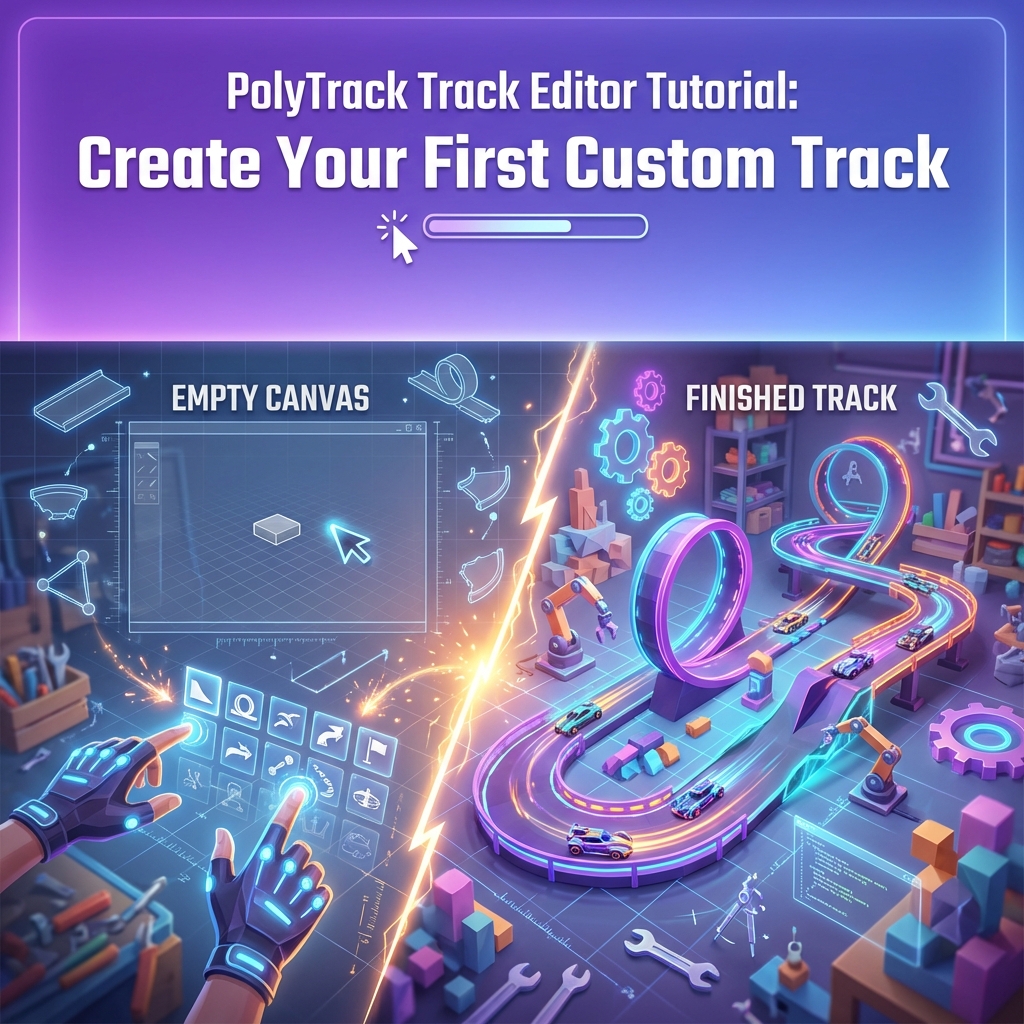
PolyTrack Track Editor Tutorial: Create Your First Custom Track
The PolyTrack track editor is where creativity meets physics.Whether you're envisioning a high-speed racing circuit or an impossible stunt playground, this comprehensive 2025 tutorial will teach you everything you need to know to create your first masterpiece.
By the end of this guide, you'll have published your first custom track and learned the fundamentals of track design.
Why Create Custom Tracks ?
Creating custom tracks offers unique benefits:
- ** Creative Expression:** Turn your wildest racing ideas into reality
- ** Community Recognition:** Build a reputation as a skilled track designer
- ** Infinite Replayability:** Design tracks perfectly suited to your playstyle
- ** Learning Opportunity:** Understanding track design makes you a better racer
- ** Sharing Passion:** Thousands of players will experience your creation
- ** Learning Opportunity:** Understanding track design makes you a better racer
- ** Infinite Replayability:** Design tracks perfectly suited to your playstyle
- ** Community Recognition:** Build a reputation as a skilled track designer
The barrier to entry is low, but the skill ceiling is impossibly high.Let's get started!
Section 1: Understanding the Editor Interface
Accessing the Editor
** Method 1: From Main Menu **
    1. Launch PolyTrack
2. Click "Track Editor" or "Create" button 3. Select "New Track"
** Method 2: From Existing Track **
    1. Load any custom track
2. Click "Edit" button(if available) 3. Modify and save as new track
Interface Overview
When you first open the editor, you'll see:
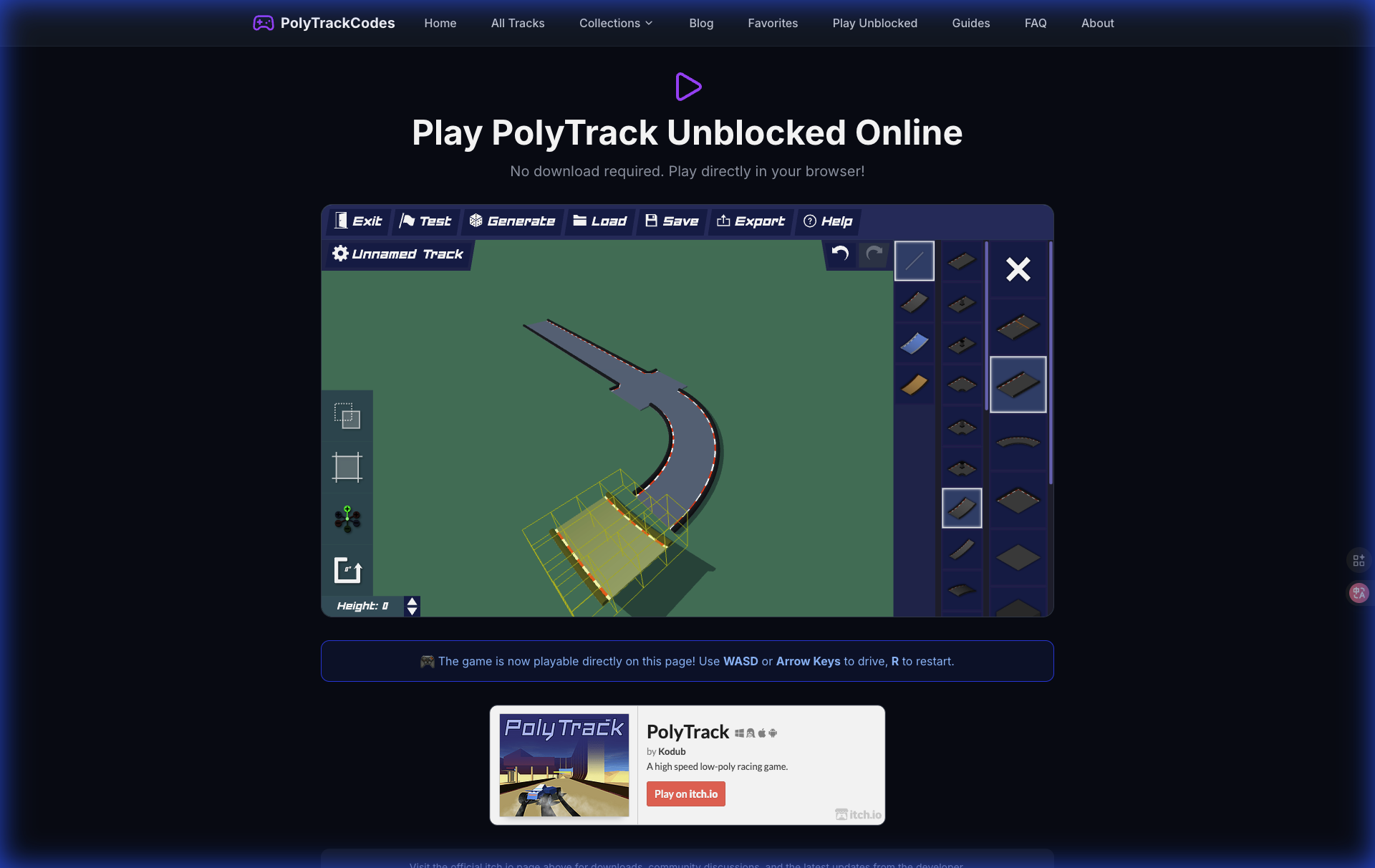
** Left Panel: Track Pieces Palette **
- Categorized track segments(Straights, Curves, Loops, etc.)
- Color - coded by type
-
Search function for quick access
** Center: 3D Viewport **
-
- Color - coded by type
- Your track construction area
- Grid - based snapping system
-
Camera controls(rotate, pan, zoom)
** Right Panel: Properties **
-
- Grid - based snapping system
- Selected piece settings
- Track metadata(name, difficulty, description)
-
Testing and export options
** Bottom Toolbar: Quick Actions **
-
- Track metadata(name, difficulty, description)
- Undo / Redo * Save / Load * Test Track * Publish
Section 2: Essential Editor Controls
Master these controls before building:
Camera Navigation
| Action | PC Controls | Mac Controls | Function |
|: ---|: ---|: ---|: ---| | ** Rotate ** | Right Mouse + Drag | Cmd + Drag | Orbit camera around track | | ** Pan ** | Middle Mouse + Drag | Option + Drag | Move viewpoint | | ** Zoom ** | Mouse Wheel | Trackpad Pinch | Zoom in/out | | ** Reset View ** | Home Key | Fn + Left Arrow | Return to default angle |
Track Piece Placement
| Action | PC Controls | Mac Controls | Function |
|: ---|: ---|: ---|: ---| | ** Place Piece ** | Left Click | Left Click | Add selected piece | | ** Delete Piece ** | Delete / Backspace | Delete | Remove selected piece | | ** Rotate Piece ** | R Key(before placing) | R Key | Rotate 90° | | ** Fine Rotate ** | Shift + R | Shift + R | Rotate 15° | | ** Move Piece ** | Click + Drag | Click + Drag | Reposition placed piece |
Power User Shortcuts
*   ** Ctrl + D **: Duplicate selected piece
    *   ** Ctrl + Z **: Undo last action
        *   ** Ctrl + Y **: Redo
            *   ** Ctrl + S **: Quick save
                *   ** Space **: Pause / Resume test mode
                    *   ** Esc **: Exit test mode
Section 3: Track Pieces Explained
Understanding piece types is crucial for effective design.
1. ** Straight Track Segments **
** Types:**
- Short Straight(5m)
- Medium Straight(10m)
-
Long Straight(20m)
** When to Use:**
-
- Medium Straight(10m)
- Speed sections
- Connecting complex segments
-
Giving players time to prepare for turns
** Pro Tip:** Vary straight lengths to create rhythm.Monotonous straights are boring!
-
- Connecting complex segments
2. ** Curves and Turns **
** Banking:** Curves come in flat, medium - banked, and high - banked variants.
-
** Flat Curves:** Require braking / drifting.Good for technical sections.
-
** Medium Bank:** Can be taken at moderate speed.Most versatile.
-
** High Bank:** Allow full - throttle cornering.Use cautiously - can feel "cheap."
** Radius:**
-
Tight(90°, small radius): Challenging, slows gameplay
- Medium(45°-90°): Balanced, maintains flow
- Wide(gentle arc): High - speed, requires space
- Medium(45°-90°): Balanced, maintains flow
3. ** Vertical Elements **
** Ramps:**
- Gentle Launch(15° angle): Safe jumps
- Steep Launch(45° angle): High air, precise landing required
-
Boost Ramp: Adds velocity on takeoff
** Loops:**
-
- Steep Launch(45° angle): High air, precise landing required
- Full Loop(360°): Classic stunt.Requires minimum entry speed(~80mph)
-
Half - Pipe: Vertical transition, advanced technique
** Drops:**
-
- Small Drop(3m): Excitement without danger
- Large Drop(10m +): High risk, requires perfect landing angle
4. ** Special Pieces **
** Boost Pads:**
- Speed Booster: Adds fixed velocity
-
Turbo Pad: Massive acceleration(use sparingly!)
** Checkpoints:**
-
- Mandatory in published tracks
- Reset point when players crash
-
Place every 300 - 500m
** Decorative Elements:**
-
- Reset point when players crash
- No gameplay impact
- Enhance visual appeal
- Guide player attention
- Enhance visual appeal
Section 4: Beginner's First Track-Step-by-Step
Let's build a simple but fun beginner track together.
** Goal:** Create a 30 - second racing circuit with one jump and one challenging turn.
Step 1: Plan Your Layout
Before placing pieces, sketch your concept:
- ** Start:** Straight launch
- ** Section 1:** Gentle curve right
- ** Section 2:** Jump over gap
- ** Section 3:** Tight hairpin turn
- ** Section 4:** Speed straight
-
** Finish:** Connect back to start
** Estimated Pieces Needed:** ~20 - 25
-
- ** Section 4:** Speed straight
- ** Section 3:** Tight hairpin turn
- ** Section 2:** Jump over gap
- ** Section 1:** Gentle curve right
Step 2: Lay the Foundation
-
** Place Start / Finish Line ** -Find "Special" category - Select "Start Line" piece - Click to place at origin(0, 0, 0)
-
** Add Opening Straight ** -Select "Long Straight" from Straights category - Attach to start line(it should snap automatically) - The green highlight indicates valid connection
Step 3: First Turn
-
** Add Medium Right Curve ** -From Curves category, select "90° Right Turn (Medium Bank)" - Connect to the end of straight - Notice how banking helps players maintain speed
-
** Follow with Short Straight ** -This gives players time to line up for the jump
Step 4: Create the Jump
-
** Add Launch Ramp ** -Select "Gentle Launch Ramp" - Connect to straight
-
** Create Gap ** -Do NOT place a piece immediately after ramp - Leave 10m gap in the air
-
** Place Landing Ramp ** -Position "Landing Ramp" piece on opposite side of gap - Ensure altitude matches launch ramp exit -** Critical:** Use grid snapping(hold Shift while placing)
- ** Test Jump ** -Click "Test Track" button(flag icon) - Drive through to verify jump is clearable - Adjust ramp angles if car undershoots / overshoots
Step 5: The Hairpin Turn
-
** Add Transition Straight ** -Connect to landing ramp - Medium length(10m)
-
** Create 180° Hairpin ** -Use two "90° Left Turn (Flat)" pieces back - to - back - OR use one "180° Hairpin" if available - Low / no banking forces players to brake
-
** Exit Straight ** -Connect medium straight exiting hairpin
Step 6: Return Home
-
** Final Speed Section ** -Add long straight with boost pad halfway - This rewards players who navigated hairpin cleanly
-
** Connect to Start ** -Use appropriate curve piece to align with start line - Ensure track forms complete loop
-
** Add Checkpoints ** -Place checkpoint before jump - Place checkpoint after hairpin - Checkpoints = crash reset points
Step 7: Test Extensively
** Testing Checklist:**
- [] Can complete lap without crashing
- [] Jump is clearable at normal speed
- [] Hairpin requires skill but isn't impossible
- [] No floating / disconnected pieces
- [] Checkpoints placed logically
-
[] Track flows smoothly
** Common Test Fixes:**
-
- [] Checkpoints placed logically
- [] No floating / disconnected pieces
- [] Hairpin requires skill but isn't impossible
- [] Jump is clearable at normal speed
- Jump too short ? Increase launch ramp angle or add boost before ramp
- Hairpin too hard ? Widen turn or add slight banking
- Track feels slow ? Add boost pads or widen corners
- Hairpin too hard ? Widen turn or add slight banking
Section 5: Design Principles for Great Tracks
Principle 1: Flow
** Flow ** is the holy grail of track design.A track has good flow when:
- Players can anticipate what's coming
- Speed is maintained without constant braking
-
Transitions between sections feel natural
** How to Achieve Flow:** 1. Avoid sudden elevation changes
-
- Speed is maintained without constant braking
- Telegraph turns with track color / landmarks
- Balance high - speed and technical sections
- Use banking / boost pads to maintain momentum