You are here because you want to race, but you're staring at a loading spinner, a black screen, or a stuttering mess. We get it.
PolyTrack is generally stable, but because it runs in a browser (WebGL), it is at the mercy of your Chrome extensions, graphics drivers, and obscure system flags. This guide is not just "clear your cache." We are diving deep into the technical reasons why the game breaks and how to fix it permanently.
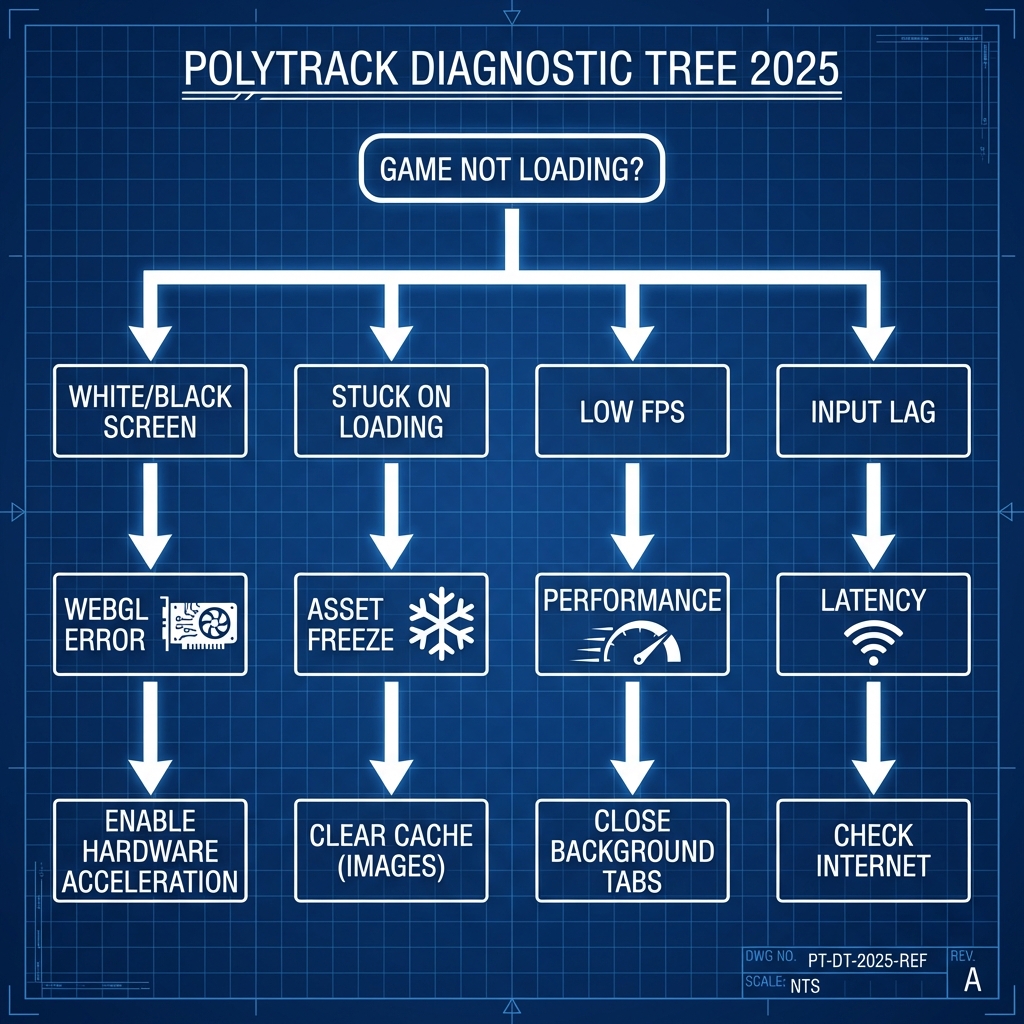
Don't have time to read? Find your symptom and try the 1-minute fix.
| Symptom | Likely Cause | Try This First |
|---|
| Stuck on "Loading..." | Corrupted Asset Cache | Ctrl + F5 (Hard Refresh) |
| Black Screen / Sound Only | WebGL Crash | Enable Hardware Acceleration |
| Input Lag / Delay | V-Sync / High Ping | Use Wired Connection |
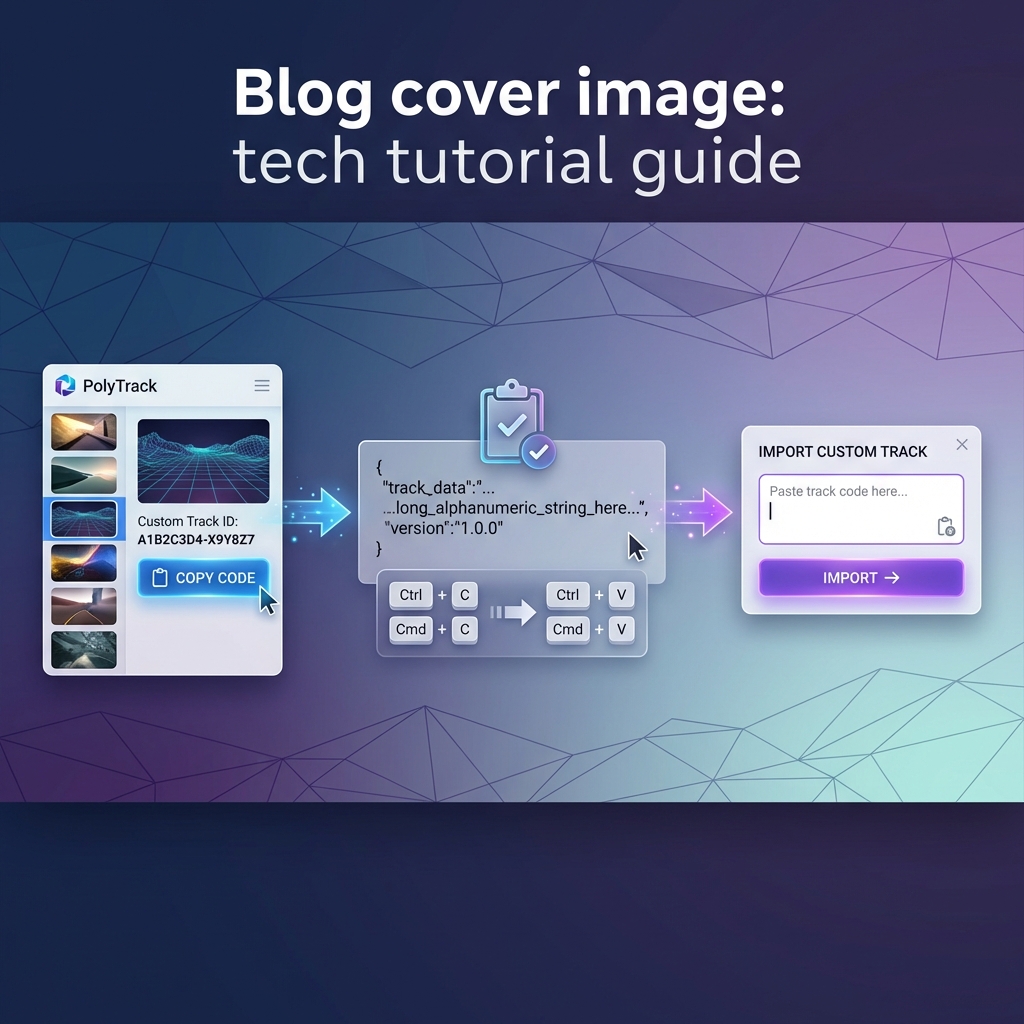
| "Invalid Track Code" | Bad Copy/Paste | Verify code prefix |
| Low FPS / Stuttering | Background Apps | Close Discord/Spotify |
The Symptom: You hear the menu music, you see the UI buttons, but the 3D car and track are invisible (black).
The Cause: Your browser is trying to render 3D graphics, but the connection to your Graphics Card (GPU) is blocked or failing.
Solution 1: Force Hardware Acceleration
Modern browsers sometimes disable your GPU to "save battery." For PolyTrack, this is fatal.
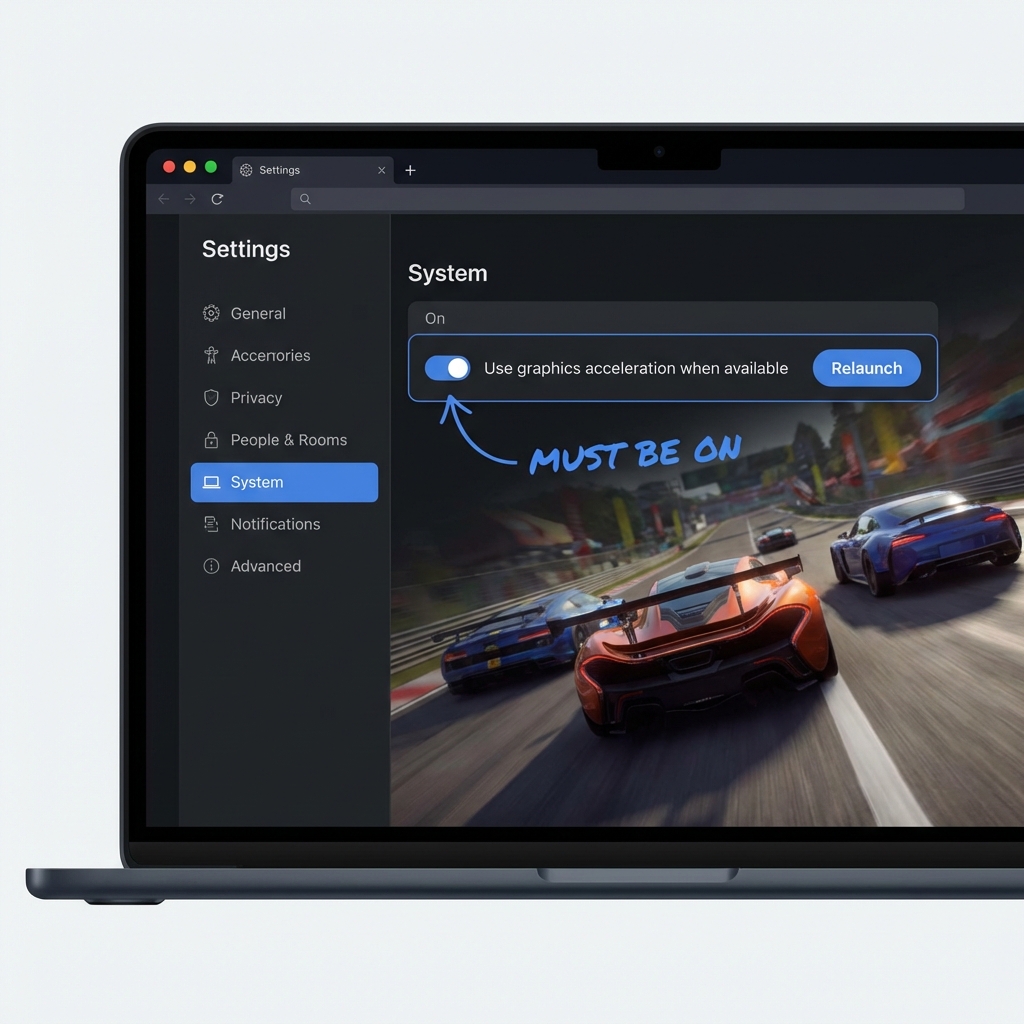
For Chrome / Edge:
- Go to
Settings -> System.
- Ensure "Use graphics acceleration when available" is toggled ON.
- Crucial Step: You MUST click the "Relaunch" button for it to take effect.
For Firefox:
- Go to
Settings -> General -> Performance.
- Uncheck "Use recommended performance settings."
- Check "Use hardware acceleration when available."
Solution 2: The "Rats! WebGL hit a snag" Fix
If you see this specific error, Chrome has "blacklisted" your GPU driver because it thinks it is unstable.
- Type
chrome://flags in your address bar.
- Search for "Override software rendering list".
- Set it to Enabled.
- Relaunch Chrome.
Warning: This forces Chrome to use your GPU even if it's considered "old." It usually fixes the game but update your drivers if you see flickering.
The Symptom: The spinning circle never stops.
The Cause: PolyTrack needs to download ~15MB of assets (textures, models) before starting. If one file fails (404) or gets corrupted in your local cache, the game waits forever for a file that isn't coming.
Solution 1: The Hard Refresh
A normal refresh (F5) uses cached files. A "Hard Refresh" forces the browser to re-download everything from the server.
- Windows:
Ctrl + F5
- Mac:
Cmd + Shift + R
Solution 2: Flush the "Application" Cache
Sometimes the "Local Storage" (where your custom tracks/times are saved) gets corrupted.
- Warning: This might delete saved local tracks. Back them up first!
- Press F12 to open Developer Tools.
- Go to the Application tab.
- On the left, under Storage, click Local Storage.
- Right-click your PolyTrack domain and click Clear.
Understanding why the game feels slow is half the battle.
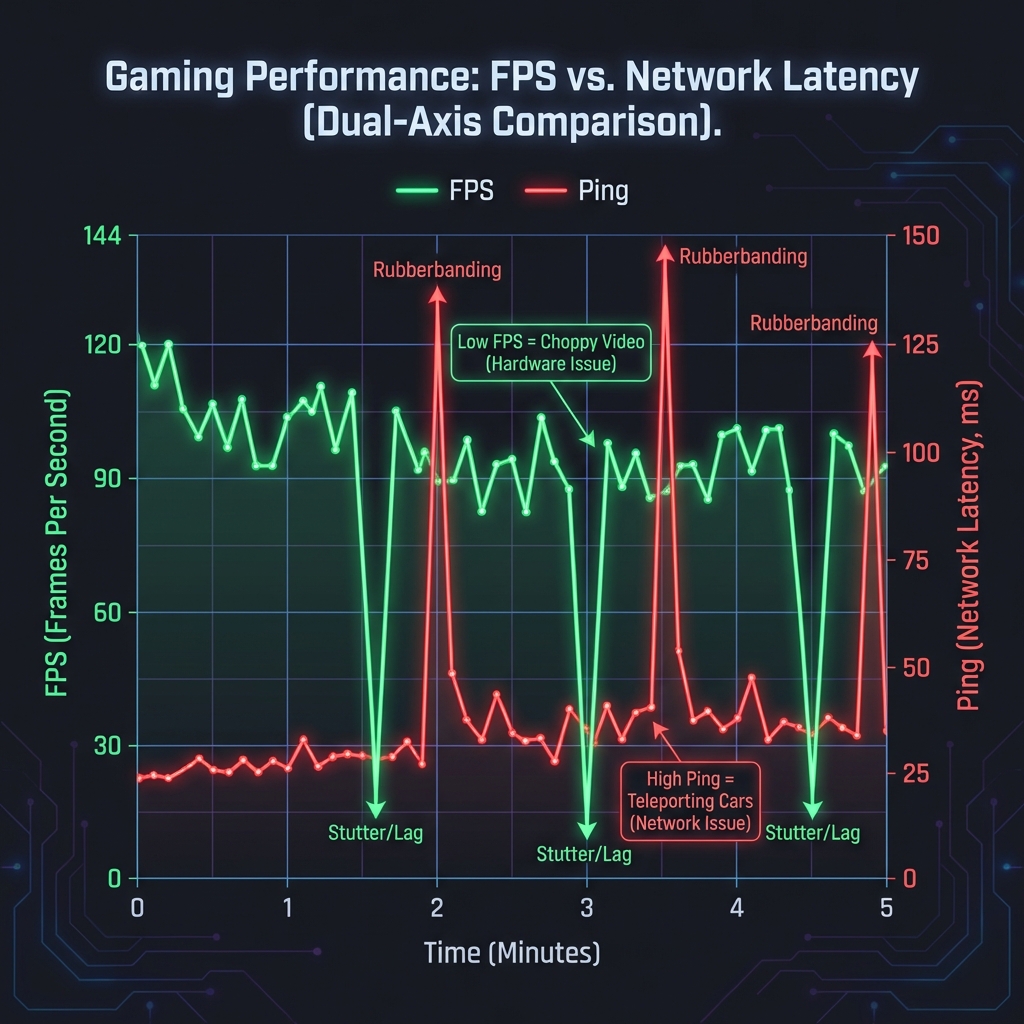
Scenario A: Low FPS (The Game is Choppy)
- What it looks like: The video looks like a slideshow.
- The Cause: Your computer is too slow to draw 60 frames per second.
- The Fix:
- Close Background Tabs: Every open Chrome tab uses RAM. Close them.
- Lower Resolution: Press
Ctrl + - (Minus) to zoom out the browser to 80%. This renders the game at a lower resolution, instantly boosting FPS.
Scenario B: High Ping (The Car Teleports)
- What it looks like: The car freezes, then "snaps" to a new position.
- The Cause: Bad internet connection.
- The Fix:
- Switch to 5GHz WiFi: Or better yet, use an Ethernet cable.
- Stop Downloads: Paus any Steam updates or Netflix streams in the background.
Chromebook Users:
If the game crashes on a school Chromebook, it's usually running out of RAM (Memory).
- Fix: Chrome OS has a "Memory Saver" mode. Go to
chrome://settings/performance and add PolyTrack to the "Always keep these sites active" list to prevent the OS from killing the tab.
iPad / Mobile Users:
- Orientation Lock: The game assumes Landscape mode. If you have "Portrait Lock" on, the touch controls (gas/brake) might overlap or disappear. Turn off rotation lock and refresh.
If you tried everything above and it still won't load, the issue might be our server or a specific bug with your track code.
- Test a Default Track: Try loading "Track 1" instead of a custom code. If that works, your custom code is invalid/corrupted.
- Send the Details: Include a screenshot of your error console (F12 -> Console tab), the browser you used, and the track code when you contact support.
Summary: 90% of PolyTrack issues are fixed by enabling Hardware Acceleration or doing a Hard Refresh. See you on the track! 🏎️