New tracks just went live
We cleared a backlog of community submissions this week, and a good batch of new tracks is now live in the track library. A few worth checking out:
- TMNF B01 — a racing layout built around a classic TrackMania-style corner sequence
- Playground — an easy stunt arena designed for messing around and testing physics, not just racing to the finish
- Sideways Highways -Reloaded- — an expert-level stunt track packed with loops, branching paths, and a maze section
- Antigravity — a floating-island track connected by winding roads and a waterfall drop
- Focus 2 - Enter the Legend — a technical layout with tight, deliberate turns
- Two Player Rush — a simple loop built with split-screen and head-to-head racing in mind
- The JUMP of the Century — exactly what it sounds like: one big, committed jump
- Firecat's Spring — a short, punchy stunt track with a sharp landing zone
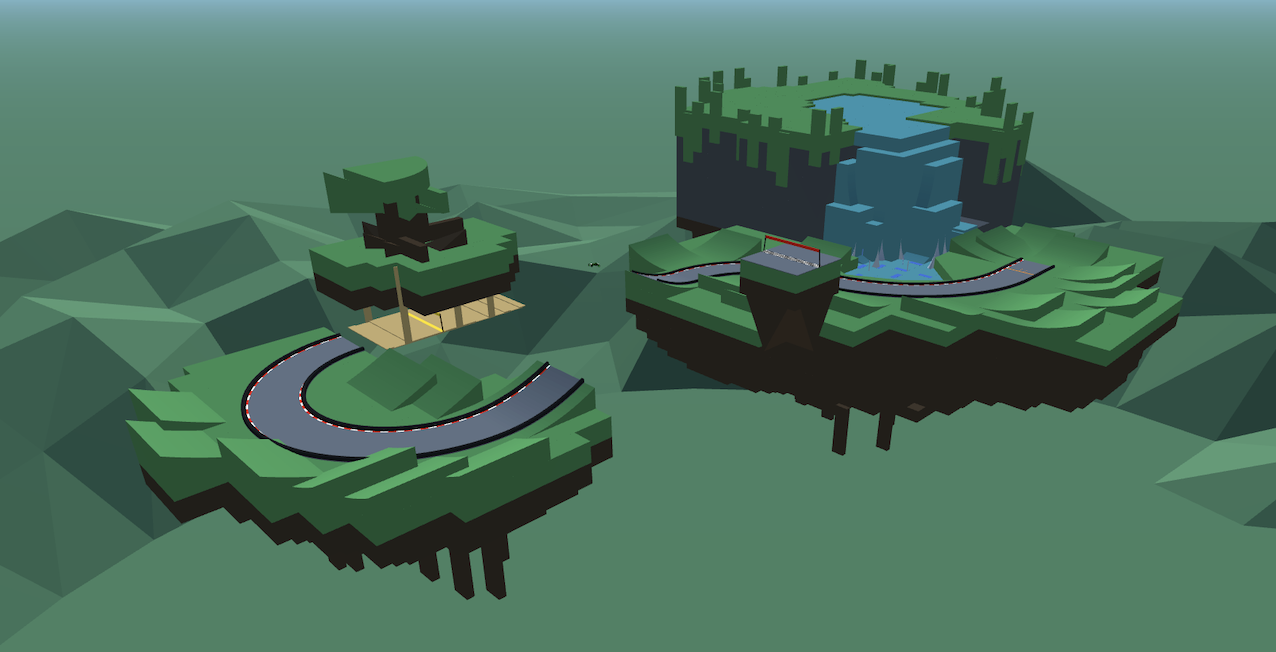 Antigravity — one of this week's new stunt tracks, built across a set of floating islands.
Browse the full list by difficulty or category if you want to filter down to what you're in the mood for.
If you submitted a track recently and don't see it yet, it may still be in the queue — see the note on review times below.
What we're seeing most often in submissions
We review every track submission by hand before it goes live, and a small number of issues account for most of the "needs revision" replies we send out. This week we went through the queue in detail, so here's exactly what that looks like, with real (anonymized) examples pulled from actual submissions.
1. The overview image isn't actually a top-down view
This is by far the most common issue — it showed up in roughly a third of the submissions we reviewed this week. The overview image is what represents your track everywhere on the site: the track card, search results, and the top of the detail page. If it isn't a clear top-down shot of the whole layout, players can't tell what they're about to import.
Here's what a correct overview image looks like — the camera is pulled back and pointed straight down, so the entire route is visible in one frame:
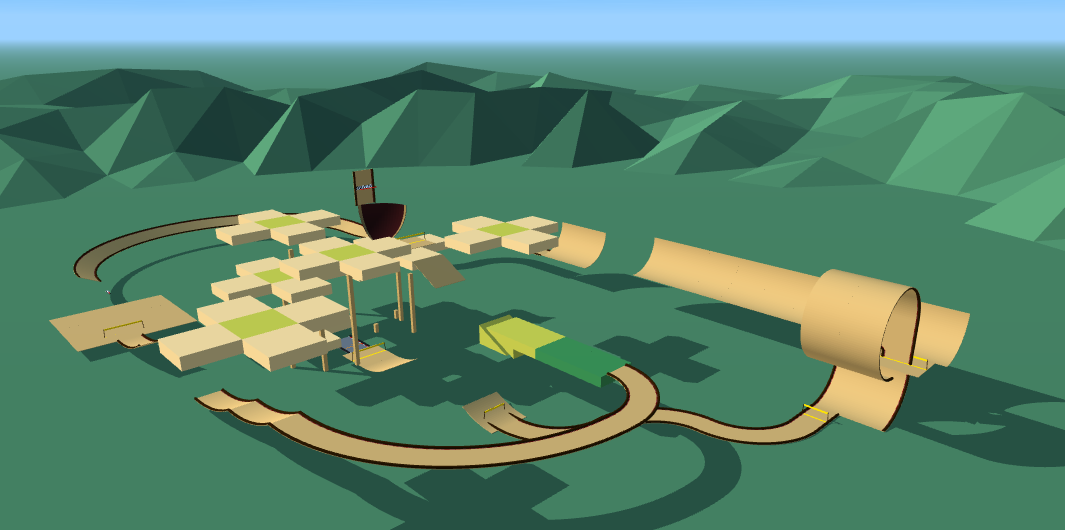 Good: the camera is directly overhead and the full layout is visible in one shot.
Compare that to two real examples we had to send back this week. The first is a gameplay screenshot taken from behind the car — it shows a fraction of the track and nothing about the overall shape:
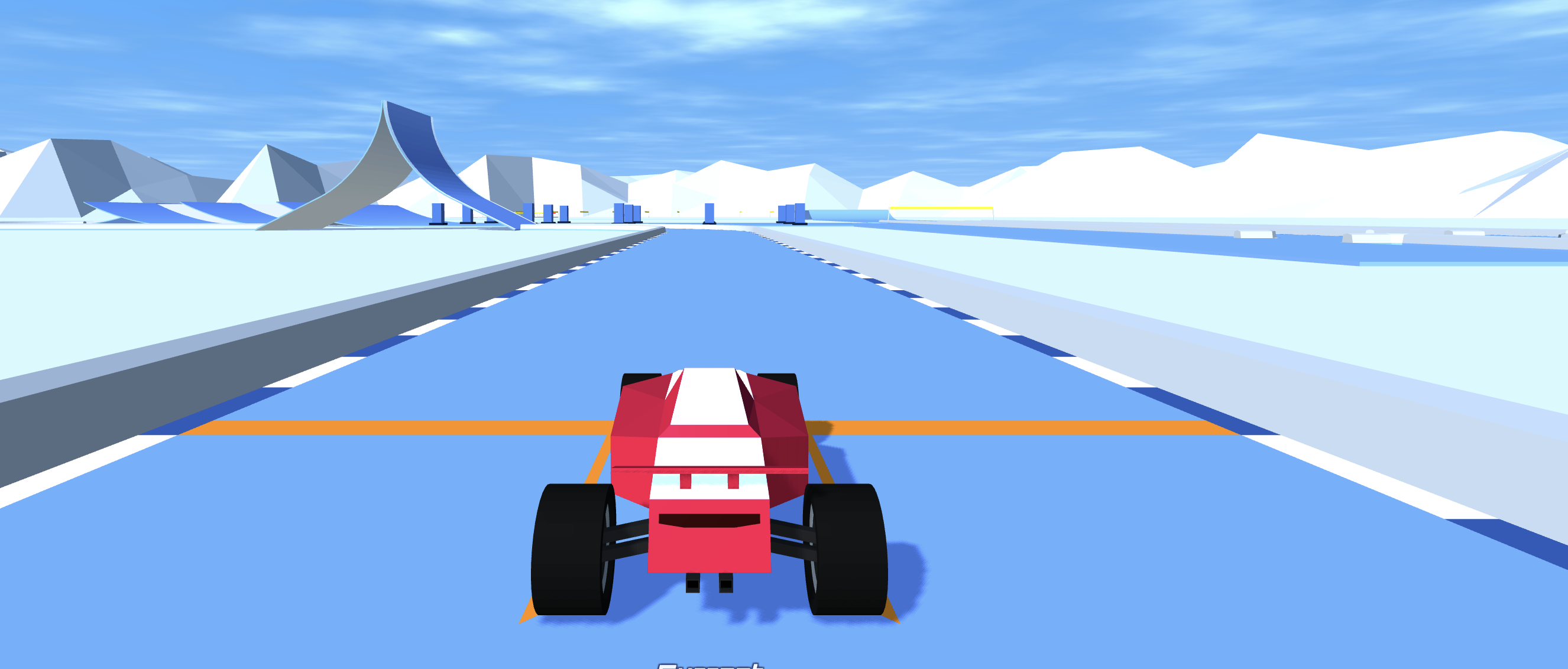 Not usable: a behind-the-car gameplay shot only shows a few meters of track, not the layout.
The second is a screenshot taken straight from the editor at an angle, with the editor's own toolbar still visible in the frame:
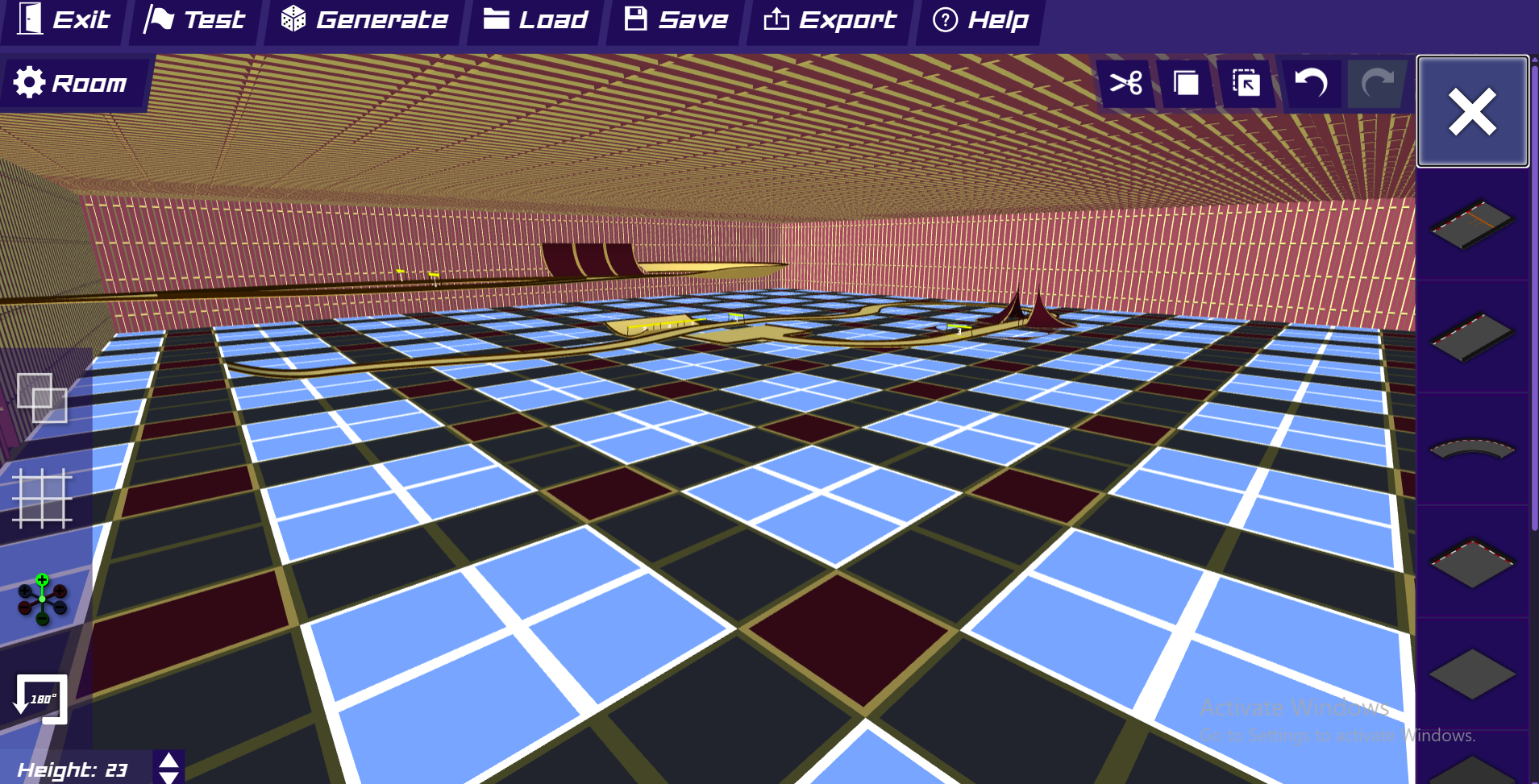 Not usable: an angled editor screenshot with UI elements still on screen doesn't read as a track overview.
We also occasionally get overview images that aren't from PolyTrack at all — real-world racing photos or official circuit branding, usually attached to tracks themed after real Grand Prix circuits. Beyond not showing the actual track, these raise real copyright and trademark concerns, so we can't publish them no matter how good the track itself is. If your track is inspired by a real circuit, that's completely fine — just make sure the overview image is still a screenshot of your build, not stock photography.
The fix: in the PolyTrack editor, zoom all the way out and rotate the camera to point straight down before exporting your screenshot, so the whole track fits in frame with nothing else in the shot.