Officially confirmed — checked July 20, 2026: PolyTrack 0.6.2 is the latest release listed in the official devlog. It was published May 31, 2026.
The short answer
PolyTrack 0.6.2 is a small but important stability update released on May 31, 2026. It does not add a new headline mode like 0.6.0 did. Instead, it cleans up problems that appeared after the multiplayer era began, especially around one community track, error handling, editor camera movement, touch controls, and rare physics initialization issues.
The official note says 0.6.2 is compatible with 0.6.0 and 0.6.1, so updating is optional but recommended. In plain terms: your game should still work if you are on 0.6.0 or 0.6.1, but 0.6.2 is the safer version to use now.
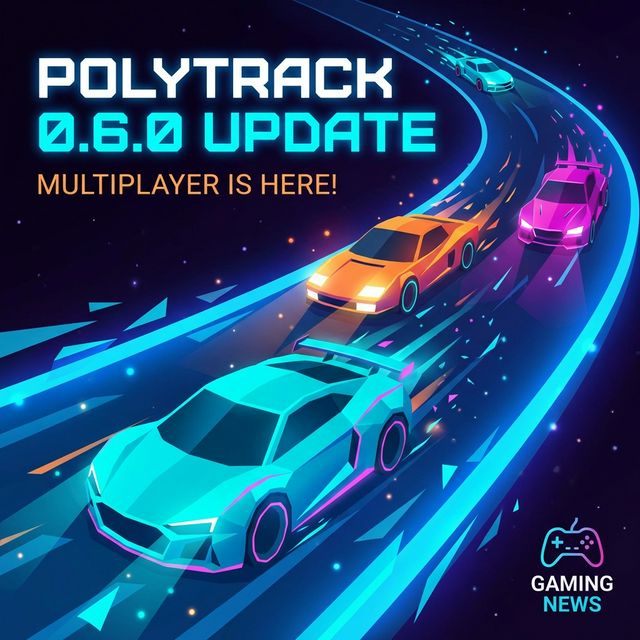
0.6.0 brought the multiplayer era. 0.6.1 and 0.6.2 are about making that era more reliable.
What changed in PolyTrack 0.6.2?
Here is the practical version of the official 0.6.2 patch.
| Area | What changed | Why it matters |
|---|---|---|
| Community Track Natsu | Hidden finish line removed | The track should be fairer and less confusing |
| Natsu leaderboard | Leaderboard reset | Old records no longer match the revised layout |
| Desktop error screen | Reload button changed to Quit | A desktop app should exit cleanly when recovery is not useful |
| Editor camera | Camera can now lower properly | Builders get the intended vertical view range again |
| Touch controls | Hidden correctly during loading screens | Mobile and tablet players see less UI clutter during loading |
| Physics startup | Rare early-input error fixed | The car should fail less often before the physics simulation is ready |
| News popup | Image no longer preloads unnecessarily | Small load polish, especially useful on slower devices |
This is the kind of update that can look boring in a headline but still matter in daily play. PolyTrack is a precision racing game. A hidden finish line, a stuck camera, or a rare physics startup error can ruin trust faster than a missing feature.
The biggest player-facing 0.6.2 change is about a community track, not a new mode.
The Natsu change is the one racers should notice first
The most visible 0.6.2 change is to the community track Natsu. Kodub changed Natsu to remove a hidden finish line, and the leaderboard for that track was reset because old times no longer represent the same challenge.
That reset is the correct trade-off. If a track layout changes in a way that affects how a run finishes, old records become hard to compare. A leaderboard should reward the current route, not a previous version of the route.
For players, the advice is simple:
- If you had a Natsu time before 0.6.2, treat it as historical.
- Re-run the track after updating.
- Do not compare old Natsu clips to new Natsu leaderboard times.
- If you curate track lists, mention that Natsu changed in 0.6.2.
For creators, Natsu is also a useful warning. Hidden finishes can be clever once, but they are risky when a track becomes competitive. If a finish line feels like a trick rather than a readable endpoint, players may see it as unfair instead of creative.
0.6.2 is the cleanup after 0.6.1
To understand 0.6.2, you need the update right before it. PolyTrack 0.6.1 arrived on May 26, 2026, and it was the larger post-0.6.0 follow-up. It added several quality-of-life changes after multiplayer launched.
The most important 0.6.1 additions were:
- Leaderboards now show the date a record was set.
- Multiplayer clients can create invites, not only the host.
- Tracks can be deleted from the leaderboard screen.
- The game can auto-detect language from browser settings.
- CrazyGames and Poki logged-in nicknames can be set automatically.
- First launch starts Summer 1 automatically.
- Error screens gained reload and reset-settings buttons.
- 10 community tracks were added: Apostle, Stardust, Overclocked, Amberbound, The Eldritch Estate, Star Bound, Natsu, Lenore, Sandy lanes II, and Planet 97.
0.6.2 then narrowed the focus. It did not try to add another wave of content. It fixed the points where 0.6.1 and the multiplayer-era game could still feel rough.
After live racing arrived, smaller fixes started to matter more because more players are sharing the same session and leaderboard context.
What changed after multiplayer?
The real story is not just 0.6.2. It is how PolyTrack changed after multiplayer arrived in 0.6.0.
Before multiplayer, most problems were personal. If a track loaded strangely, a ghost felt odd, or a setting was inconvenient, it mainly affected your solo session. After multiplayer, small friction becomes social friction. Invites, names, loading, error recovery, and leaderboards all carry more weight.
That is why the 0.6.1 and 0.6.2 fixes cluster around these themes:
| Theme | Examples from 0.6.1 and 0.6.2 | Player impact |
|---|---|---|
| Multiplayer flow | Clients can create invites; matchmaking reliability fixes; warning moved | Rooms should be easier to organize |
| Leaderboard trust | Record dates visible; Natsu reset after layout change | Records are easier to interpret |
| Error recovery | Reload, reset settings, Quit button changes | Failed sessions are easier to recover from |
| Device polish | Touch controls hidden during loading; Android rotation support | Mobile and tablet play feels cleaner |
| Editor reliability | Large-track editing lag optimized; camera lower-range fix | Builders get fewer workflow interruptions |
| Loading performance | Official tracks no longer preload; news popup image not preloaded | The game wastes less work on startup |
The pattern is clear: PolyTrack is moving from "a clever browser racing game with a great editor" toward "a live community game where stability and clarity matter."